

FoodEffect Pulse

Whether you are a bio-hacker or just concerned about your health, FoodEffect assists you in your quest for peak performance and a healthier life. FoodEffect Pulse’s main component is:
- Food Sensitivity Test
- Insights Screen
Inflammation is an innate response to injury, stress, or illness, poor gut function or eating toxic foods (high-toxin, high-sugar, high-processed, high-gluten, etc.) and induces an inflammatory response. When this response becomes the norm for your body, it becomes a low-level feature in your physiology and problems arise.
Many studies that are found in the National Institute of Health data base show that eating foods you are sensitive to create a histamine response which leads to inflammation. While allergic reactions are overt and obvious (rashes, watering eyes) food sensitivities may have subtle reactions that you don't even notice. Still, there is a histamine response which leads to elevated heart rate and inflammation.
It turns out that inflammation is the common link between cardiovascular disease, cancer, diabetes and obesity in developed nations and thus should be reduced by whatever means available.
Food Sensitivity Test Features
Morning Pulse: 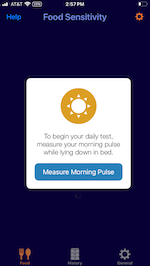 Start by recording your morning pulse. This is a required baseline pulse. When testing for food sensitivities, your pulse will be compared to this baseline value. It is best to measure this before rising though can be measured shortly after rising while sitting quietly. You want a relaxed pulse with no mental or physical activity.
Add Meal Screen: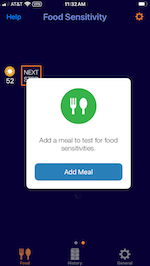 When you are ready to test a food from the Suspicious 7, Big 8 or a meal, simply select the add meal button from the Food tab at the bottom. It will prompt you to type in the food that you are going to eat, then it will prompt you to take your pulse. This is to make sure your pulse is not already elevated before eating as that would throw off the test!
Enter or Change Food: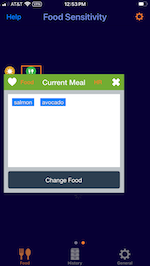 FoodEffect Pulse will record the items that are included in your current meal. If you wish to change the items before proceeding, simply select "Change Food" and correct your meal items.
Finished Eating, Ready for Pulse: 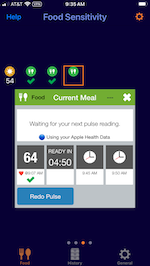 Once you select Finished Eating, the countdown will start. According to the Coca Pulse Test, you will be prompted to take your pulse at 30, 60, and 90 minutes after eating. If you have an Apple Watch, this will happen automatically. If you are using the Kardia Mobile 6L or doing a manual reading, an alert will remind you to do so.
Result Screen: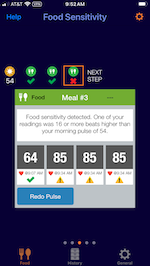 During the 90 minutes, you should be working quietly, reading or watching TV and not moving around too much as this will raise your pulse and you won't know if the food is causing the heart rate increase or the movement. At the end of 90 Minute you will get a result. Here is an example of a possible sensitivity detected. You will want to follow up testing each item in the meal individually.
Insights Screen: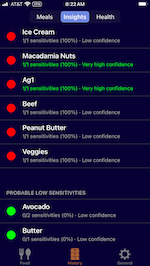 The FoodEffect PUlse algorithm will keep track of meals that had a possible sensitivity and rank them so that you can see which foods to re-test or avoid all together. Simple select the History tab at the bottom of the sceen and select the Insights tab at the top.